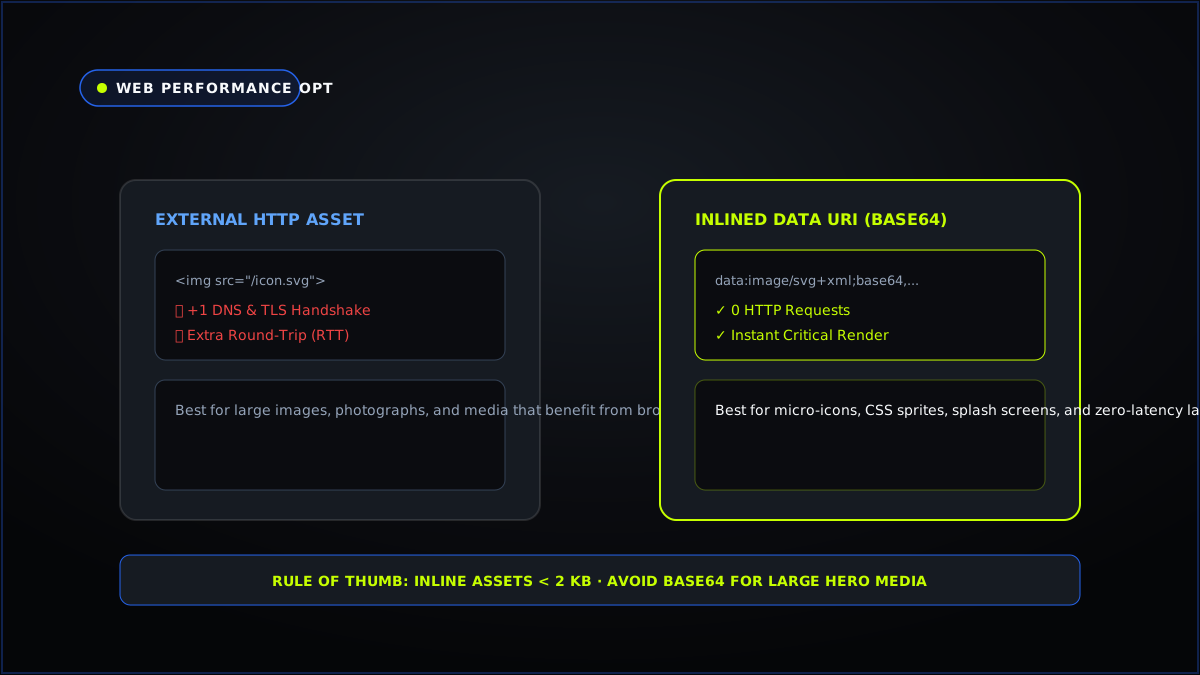
Every external resource referenced in an HTML or CSS document requires a discrete DNS lookup, TCP handshake, TLS negotiation, and HTTP request. In high-performance web engineering, inlining critical micro-assets as Base64 Data URIs is a battle-tested strategy for eliminating latency.
Understanding the Mechanics of Base64 Encoding
Base64 is a binary-to-text encoding scheme that translates raw 8-bit binary data into an ASCII string composed of 64 printable characters (A-Z, a-z, 0-9, +, and /). By prefixing the string with an RFC 2397 Data URI scheme (such as data:image/png;base64,...), web browsers can decode and render media directly from the stylesheet without initiating an external network request.
The 33% Byte Overhead Trade-Off
Because Base64 represents 3 binary bytes as 4 text characters, it inevitably increases the file size by approximately 33%. For this reason, inlining large photography or hero banners is an anti-pattern. However, for micro-icons, UI spinner indicators, and critical logos under 3 KB, the elimination of an entire network round-trip significantly outweighs the modest byte increase.
Converting Images to Base64 Client-Side
Avoid uploading proprietary graphics or client assets to untrusted third-party converters. You can convert any PNG, JPG, or SVG into instant HTML tags and CSS background declarations using the Image to Base64 Encoder Tool directly in your browser.
Use the free Commeronix tool for this workflow:
Try the Image to Base64 Encoder client-side with 100% privacy and zero latency.