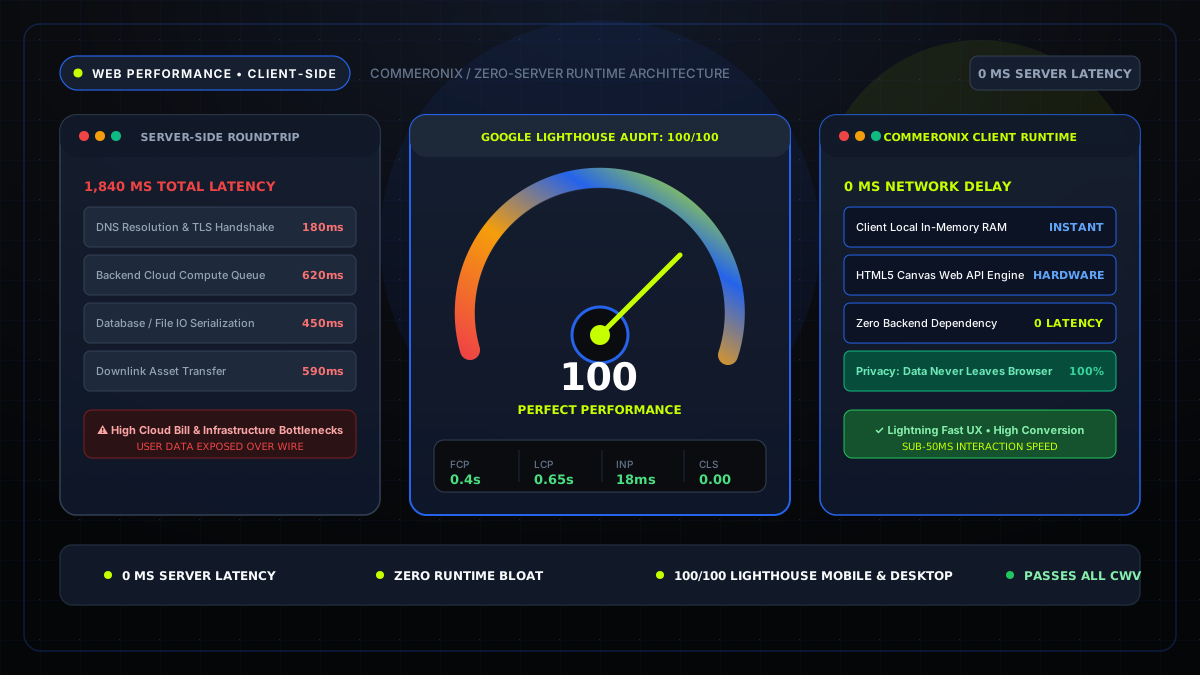
Key Performance Metric: Google reports that as page load time increases from 1 second to 3 seconds, the probability of mobile user bounce increases by 32%. At 5 seconds, bounce rates escalate by 90%. Fast load velocity is not merely an engineering vanity metric—it is the single highest-leverage conversion factor in digital publishing.
1. The Economic Reality: Page Speed as a Revenue Lever
In modern digital commerce and online publishing, seconds translate directly into revenue. When a user taps a search result, every millisecond of white-screen latency increases friction, heightening user anxiety and encouraging abandonment.
Amazon's classic study revealed that every 100ms in added latency cost them 1% in retail sales. Walmart discovered that for every 1-second improvement in page load speed, their conversion rate increased by 2%. For content publishers monetizing through programmatic advertising (such as Google AdSense), faster page rendering allows ad viewability beacons to register before users scroll past slots, directly inflating Effective Cost Per Mille (eCPM) yields.
2. Search Engine Indexing: The Mobile-First Speed Ranking Factor
Since the rollout of Google's Mobile-First Indexing and the Page Experience Algorithm update, web performance is an official, algorithmic ranking signal. Google's crawler simulates mobile device connections over restricted 4G network profiles.
Websites suffering from bloated JavaScript bundles, uncompressed photography, and blocking CSS stylesheets are assigned lower quality scores. This causes search spiders to crawl fewer pages per day (crawl budget exhaustion) and depresses organic keyword impressions across competitive search terms.
3. The Client-Side Revolution: Eliminating Server Bottlenecks
Historically, online utilities—such as image compressors, currency converters, and word counters—required round-trip client-server interactions. A user uploaded a file, the server spun up heavy ImageMagick or Python worker processes, wrote the file to disk, and streamed the result back over HTTP.
This architectural pattern suffers from three severe flaws:
- Network Latency: Uploading a 15MB camera raw image over standard mobile upload connections takes several seconds.
- Severe Privacy Risks: Storing user documents, screenshots, and financial numbers on remote servers creates liability under GDPR, CCPA, and HIPAA.
- Server Infrastructure Costs: Server CPU utilization spikes dramatically under concurrent traffic, necessitating expensive auto-scaling cloud compute clusters.
Experience 100% Client-Side Velocity
Explore Commeronix's full suite of zero-server web utilities. Instant, private, and lightweight.
4. Leveraging HTML5 Canvas and Web APIs for Zero-Latency Execution
Modern browser engines (Chromium V8, Apple WebKit, and Mozilla SpiderMonkey) execute compiled JavaScript with near-native hardware acceleration. By leveraging the HTML5 <canvas> element, FileReader, and the Web Cryptography API, tasks that once required dedicated backend servers can now execute entirely inside browser memory.
For instance, in our Image Compressor Tool, images are loaded into a virtual memory buffer, rendered onto an offscreen canvas context, and exported directly through canvas.toBlob() using native browser codecs. The entire operation completes in under 150 milliseconds with zero network round trips.
5. Establishing Performance Budgets for Core Web Vitals
To maintain top-tier Core Web Vitals scores across production deployments, high-performance web teams enforce strict performance budgets:
- Total Compressed HTML: Under 50 KB (excluding media).
- Critical CSS: Under 30 KB, inlined or loaded non-blocking.
- Hero Image Asset: Under 100 KB using next-gen WebP formatting.
- Favicons & Micro-Icons: Multi-resolution PNGs generated via our Favicon Generator to prevent 404 console errors and redundant request retries.